 Contact Us
 Schedule Demo
Clarity about the next step
Organized routes, stops and orders to execute.

Optimize routes based on capacity, urgency and delivery area.
View the status of deliveries by customer and team in real time.
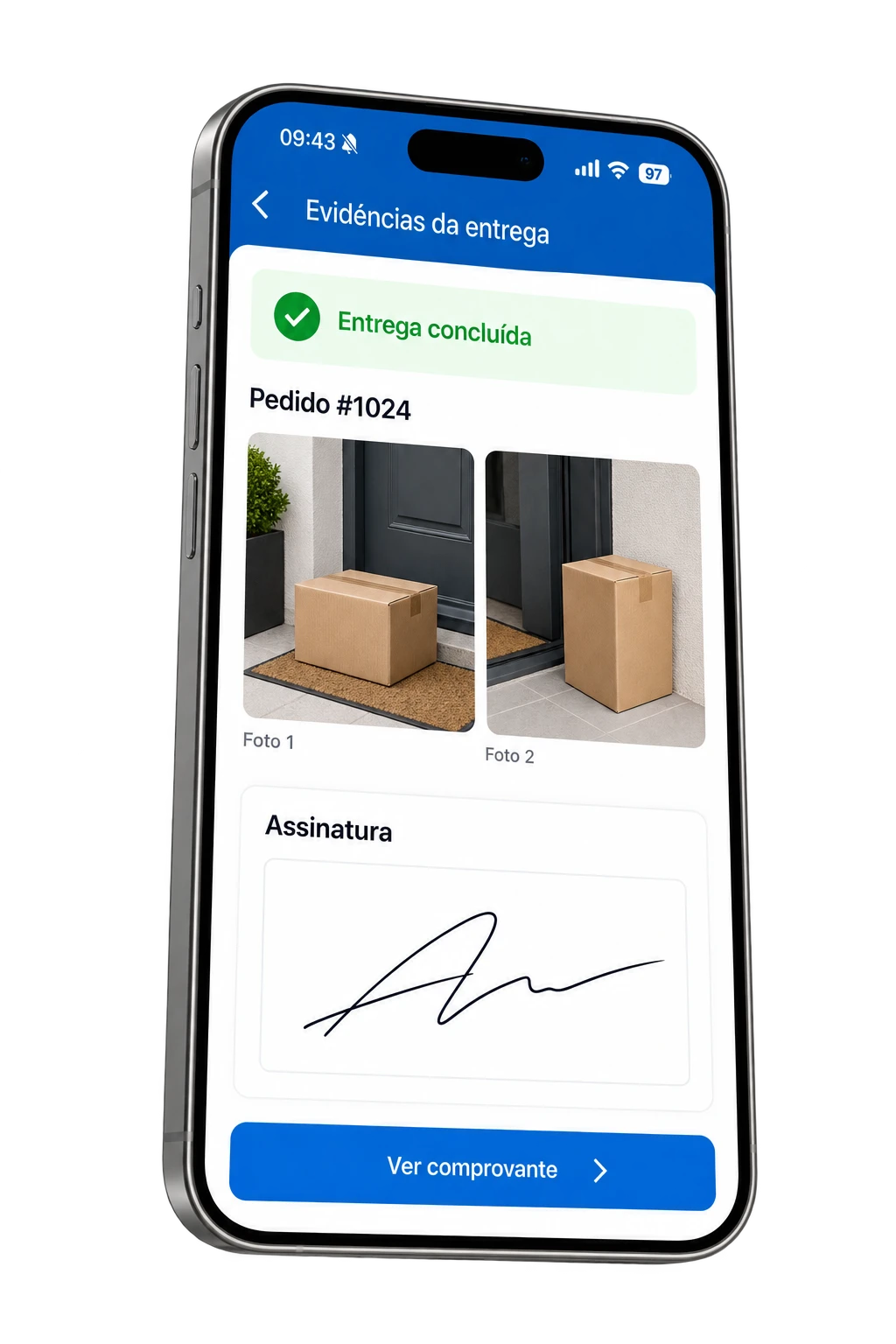
Photos, digital signature, password and much more.
Connect your system via API or receive events via Webhooks.
Monitor, pause or redirect deliveries in real time.
Complete control of deliveries directly on the delivery person's cell phone.
Send SMS, WhatsApp or email to the customer when the delivery is on its way or completed.
Discover the evolution of planning packaging and visualizing cargo in 3D.
Delivery App · Android and iOS
A clearer delivery routine in the palm of your hand. Access routes, find the order, navigate to the destination and record what happened with each delivery.
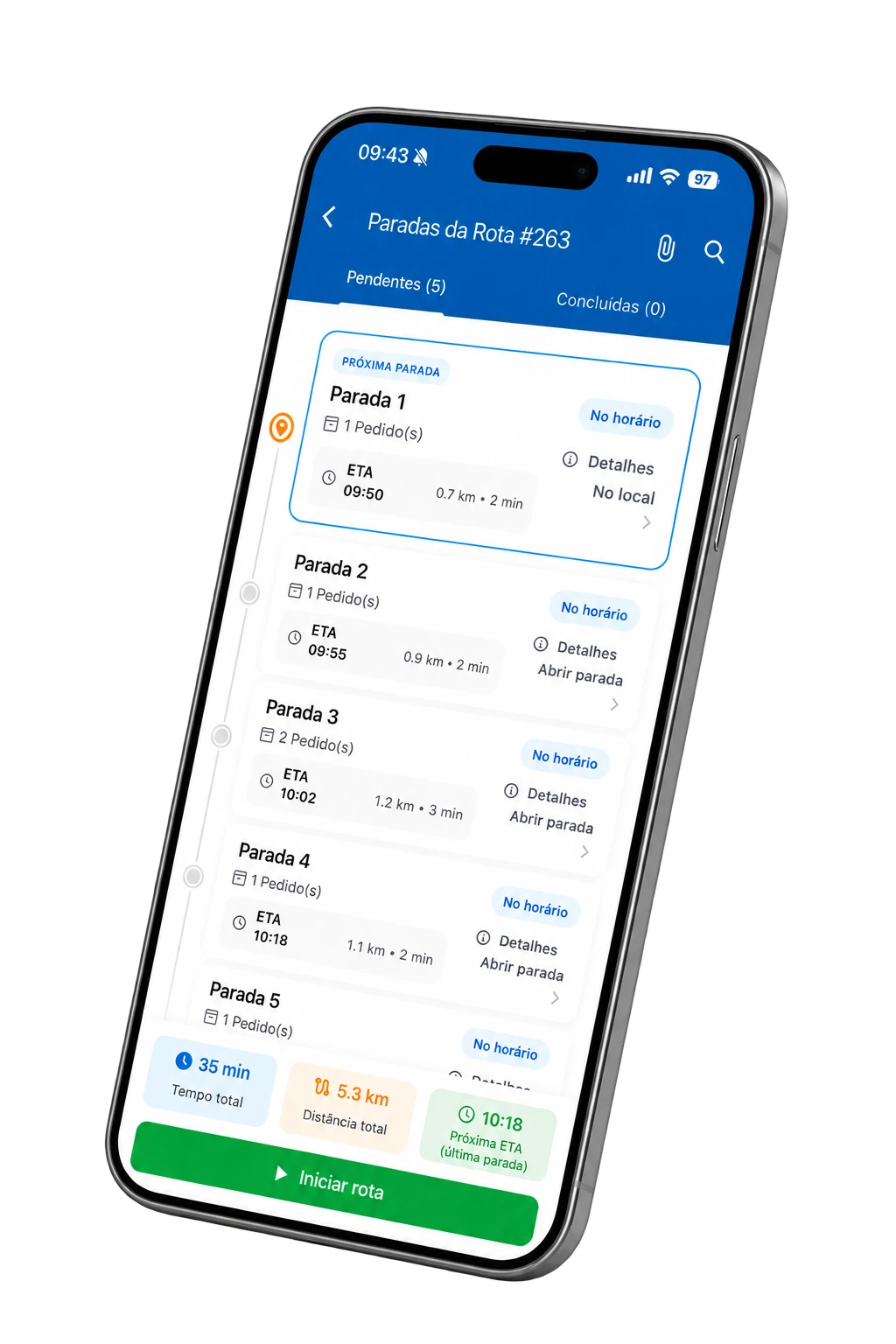
Organized routes, stops and orders to execute.
Photos, signature and reasons for non-delivery in the stream.
The data sent supports management and service.
A visit through the application
Choose a moment to explore the screen and understand how it helps the delivery person. Visual examples with fictitious data.
Here is a summary of their operation.
5 stops · 9 orders
2 requests · Rua das Acácias, 120
1 order · Av. Central, 350
Forecast 10:30 am2 requests · Rua das Flores, 84
Forecast 10:50 amRua das Acácias, 120
Center · Taubaté, SP
Photograph the volumes and check who received them.
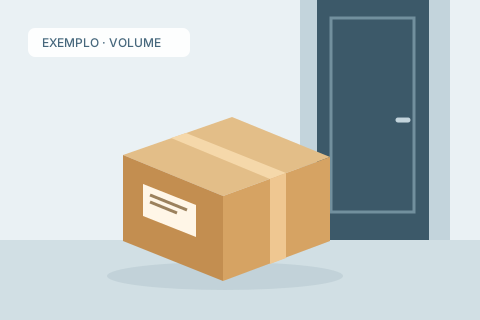

Record the reason for reporting the operation.
Concierge reported that there was no one to receive the order.
Illustrative motif. Options come from operations.
Received by Marina Costa
Photos and signature available for consultation.
In the app, tap the evidence to enlarge.
The panel brings together pending and ongoing routes, as well as access to completed ones. The delivery person starts with a view of the available work.
More clarity to start the day and get back on track.
In addition to delivery confirmation
Less searching for information, more context to execute each stop.
Find an order and access your stop without having to scroll through the entire delivery list.
See the note number when informed in the order, helping to identify the delivery.
Open the destination on Google Maps, Waze or Apple Maps on iOS, depending on your configured preference and availability on your cell phone.
Access phone number, WhatsApp, address and order notes to facilitate on-site contact.
Consult and attach documents on the route, using the camera or a file on the device.
Consult the notices received and follow the latest developments in the operation, with notification permissions enabled.
Reopen completed routes, view the summary, and check available evidence in delivered orders.
Adjust your browsing preference and use optional biometric login on compatible devices.
One operation, different visions
The app records the execution. The data received by Entregui helps to monitor the route and guide service.
Consult stops, confirm deliveries and inform the reasons when an order cannot be delivered.
Submitted positions and statuses help the team understand route progress and issues.
Discover the Control TowerThe tracking link allows the recipient to follow the information available about their delivery.
Get to know TrackingThe standard comes from your operation
The driver receives the order context and follows the confirmation configured for that delivery.
Photograph the volumes and confirm the name of the recipient. Check the images before sending.
Android and iOS
Install the application and access with the user registered by your operation on Entregui.


Before fielding
Prepare the team to access and use the application on a routine basis.
Yes. Entregui is available on Google Play and the App Store. Check the store for compatibility with the device and operating system version.
He enters the user registered for the operation and consults the routes available for its execution. In the app, you will find the stops and related requests.
The connection allows you to receive routes, consult server information and send confirmations, photos and location positions. Monitoring by the team depends on the data received by Entregui.
It opens the destination in the navigation application configured in the profile: Google Maps, Waze or Apple Maps on iOS, depending on availability on the device.
The delivery person can record the failure, selecting a reason provided by the operation and including a description when required. This result is separate from a successfully completed delivery.
Yes. When opening an order delivered with available attachments, he consults photos and signature in thumbnails and can enlarge them. Images not yet loaded require a connection for consultation.
Tracking uses the cell phone's location through the application. It is necessary to enable location permissions and maintain the device's connection and operating conditions to send new positions.
A more organized routine for those who deliver
Discover the application connected to the Entregui operation and see how it fits into the routine of your delivery drivers.