 Contact Us
 Schedule Demo
Fewer telephone consultations
Consult the location received on the map to guide service, without relying on a call for every question about delivery.

Optimize routes based on capacity, urgency and delivery area.
View the status of deliveries by customer and team in real time.
Photos, digital signature, password and much more.
Connect your system via API or receive events via Webhooks.
Monitor, pause or redirect deliveries in real time.
Complete control of deliveries directly on the delivery person's cell phone.
Send SMS, WhatsApp or email to the customer when the delivery is on its way or completed.
Discover the evolution of planning packaging and visualizing cargo in 3D.
Real-time tracking
See where the delivery people are and how the routes are progressing. More visibility for the team, more peace of mind for those waiting for delivery.
Try tracking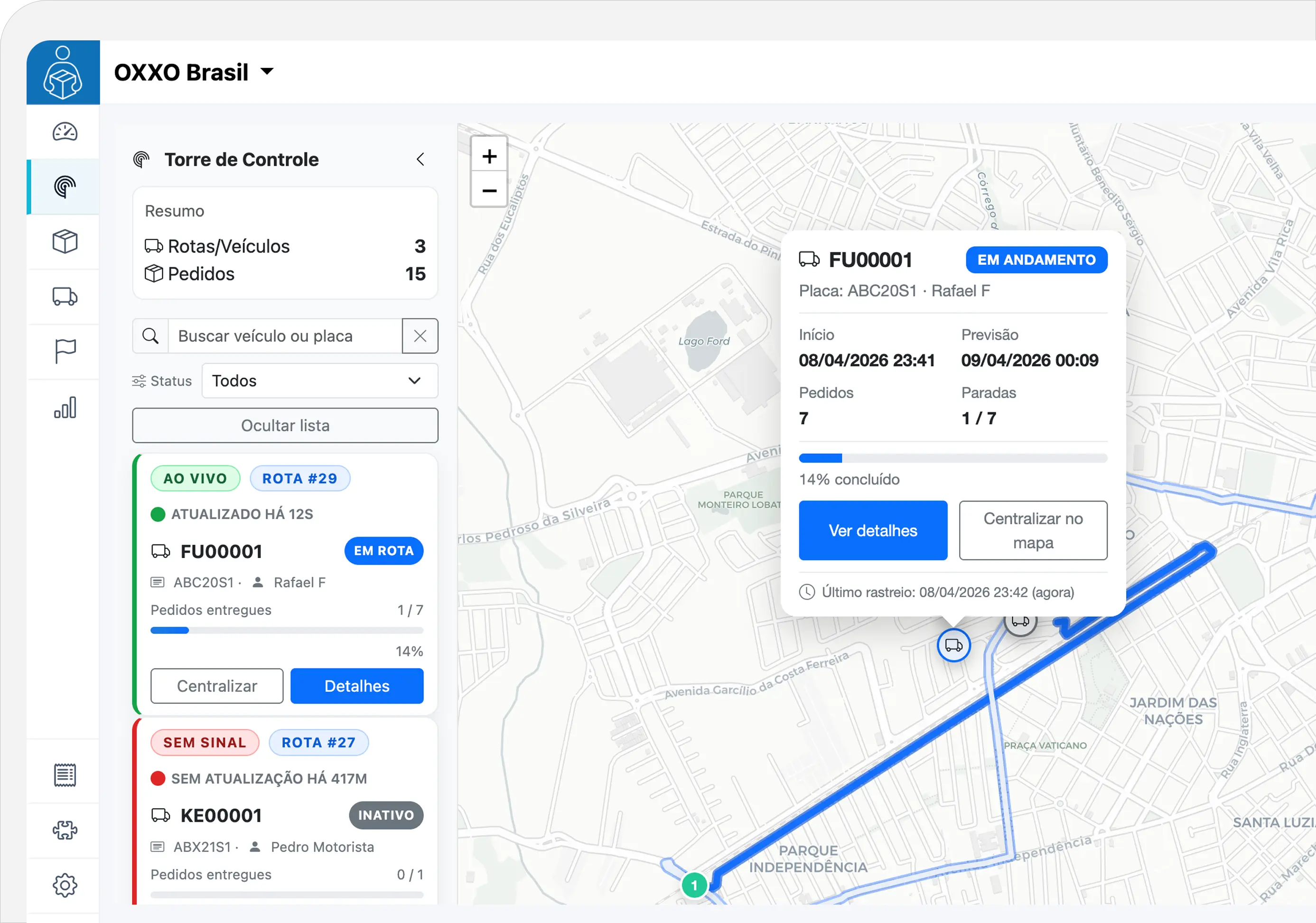
For those who coordinate deliveries
Gather the information your team needs to understand what is happening while running routes.
Consult the location received on the map to guide service, without relying on a call for every question about delivery.
See stops and completed orders. Understand what is still missing on each route and where your team needs attention.
Check when the location was received. Recognize a non-updating position before guiding the client on progress.
Try tracking
Explore everyday situations and see how the information helps those who coordinate the route and those waiting for the order.
02 · YOUR CUSTOMER
I delivered
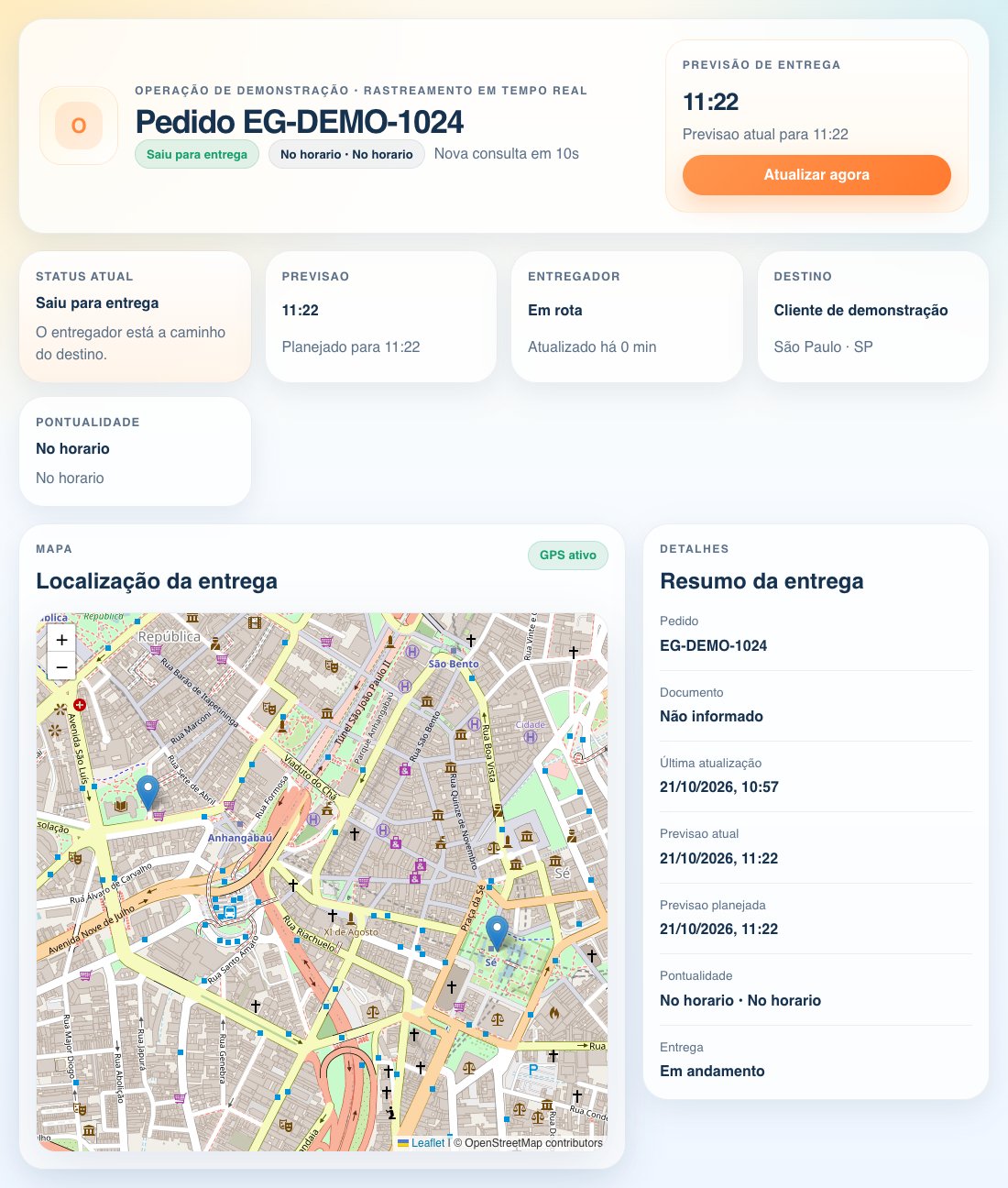
Track your orderThe delivery man is on route. Follow the information received via the link.
The team consults the received position and route progress. The customer follows their order via the link, without having to install an application.
Interactive example with fictitious data and schematic map. Below, you can also see a product tracking screen.
For those waiting for delivery
Share a tracking link and provide visibility into your order directly in your browser.
From departure to delivery
Application, operation and customer connected to delivery information.
In the Entregui application, it accesses the stops and begins the operation with location permissions enabled.
Discover the applicationLocations sent by cell phone appear on the panel, along with the progress of stops and orders.
See the control towerConfirmation updates the order. The client checks the progress via the link and the team monitors the completion.
Know the evidenceBefore you start
Understand what is needed to track your deliveries.
Talk to our teamTracking uses the location of the delivery person's cell phone through the Entregui application. You must keep location and connection permissions enabled to submit new positions.
No. The recipient accesses the tracking link on their cell phone or computer browser, without logging in.
Without connection, new positions do not reach the panel. The last received location and update indication help you recognize this situation. The map returns to receiving positions when connection and sending are resumed.
No. The forecast, when available, is an estimate. Operating conditions and data availability may change the time displayed.
See your operation
Discover Entregui tracking and discover how it fits into your delivery routine.